
Favorites ()
Apply
user sits at computer looking at data dashboards

From Data to Decisions

Building Dashboards and Visualizations: Excel and Power BI

Discover best practices for data visualization, interactive dashboard design, and storytelling with Excel and Power BI.

Transform how you communicate with data in this hands-on, two-day course. Building Dashboards and Visualizations prepares professionals to build impactful dashboards and visualizations using Microsoft Excel and Power BI.

  • Program Details
  • What You'll Learn
  • Program Details

    Program Format: In Person

    Cost: $1560

    CEUs (Continuing Education Units): 1.2

    Length of Program: 12 Contact Hours

    Program Structure: Meets 2 times from 9am - 4pm

    Register for Upcoming Sessions:

    What You'll Learn

    • Maximize the potential of Excel and Power BI by understanding their differences and strengths.
    • Design clear, professional dashboards that communicate complex data.
    • Gain expertise in transforming and preparing data for analysis.
    • Add advanced interactivity with tools like slicers, filters, and drill-through.
    • Use AI-powered features, such as smart narratives and Q&A, to reveal insights and craft compelling stories.

    You’ll leave prepared to build dashboards that captivate and inform, with templates, sample datasets, and resources to support your continued success.

    Program Details

    Program Format: In Person

    Cost: $1560

    CEUs (Continuing Education Units): 1.2

    Length of Program: 12 Contact Hours

    Program Structure: Meets 2 times from 9am - 4pm

    Register for Upcoming Sessions:

    What You'll Learn

    • Maximize the potential of Excel and Power BI by understanding their differences and strengths.
    • Design clear, professional dashboards that communicate complex data.
    • Gain expertise in transforming and preparing data for analysis.
    • Add advanced interactivity with tools like slicers, filters, and drill-through.
    • Use AI-powered features, such as smart narratives and Q&A, to reveal insights and craft compelling stories.

    You’ll leave prepared to build dashboards that captivate and inform, with templates, sample datasets, and resources to support your continued success.

    Curriculum

    Explore the capabilities, similarities, and differences of these powerful tools through an introductory overview and hands-on case studies.


    Learn how to create and analyze data using pivot tables, pivot charts, and Power BI’s data transformation features.


    Master data importing, cleaning, and shaping techniques in Power BI using Power Query.


    Discover how to leverage AI tools in Excel (e.g., recommended charts) and Power BI (e.g., smart narratives, Q&A) to enhance your data visualization process.


    Learn the essentials of creating clean, professional charts and visuals, and apply formatting techniques for maximum clarity and impact.


    Understand principles of effective dashboard design, avoid common mistakes, and create visualizations that align with business objectives.


    Add slicers, filters, bookmarks, and drill-through options to make your dashboards dynamic and user-friendly.


    Follow a step-by-step process to create dashboards in Power BI and Excel, comparing workflows and discussing practical applications.


    Export charts from Excel into PowerPoint and learn best practices for maintaining consistency, storyboarding, and aligning visuals with your message.

    Professional with laptop sitting and reviewing papers.

    Is This Program Right for You?

    This program is designed for professionals across roles like analysts, managers, and team leads who want to transform data into easy to navigate dashboards and visualizations.

    Common job titles of program participants include:

    • Data Analyst
    • Project Manager
    • Operations Manager
    • Financial Analyst
    • Marketing Analyst
    • Sales Manager
    • IT Professional
    • Product Manager
    • Strategic Planner
    • Supply Chain Manager
    • Customer Insights Manager
    • Business Intelligence Analyst
    • Operations Coordinator

    Benefits of This Program

    Use Right Away

    Walk away with practical techniques to build dashboards and visualizations that make an impact.

    Hands-On Experience

    Practice creating dashboards through interactive exercises, real-world case studies, and step-by-step demos.

    Master Excel and Power BI

    Whether you're new or experienced with the Microsoft data suite, you'll learn how to use both tools to their fullest potential, including new AI features.

    Better Decisions with Data

    Create dashboards that turn complex numbers into clear, actionable insights your team can actually use.

    Take Home the Tools

    You’ll leave with templates, sample datasets, and finished files to save time and elevate your work.

    Career Growth

    Enhance your data visualization skills to stand out professionally and add value in any role or industry.

    Watch a video where the instructors and program managers answer questions about this course

    Learn About This Unique Program

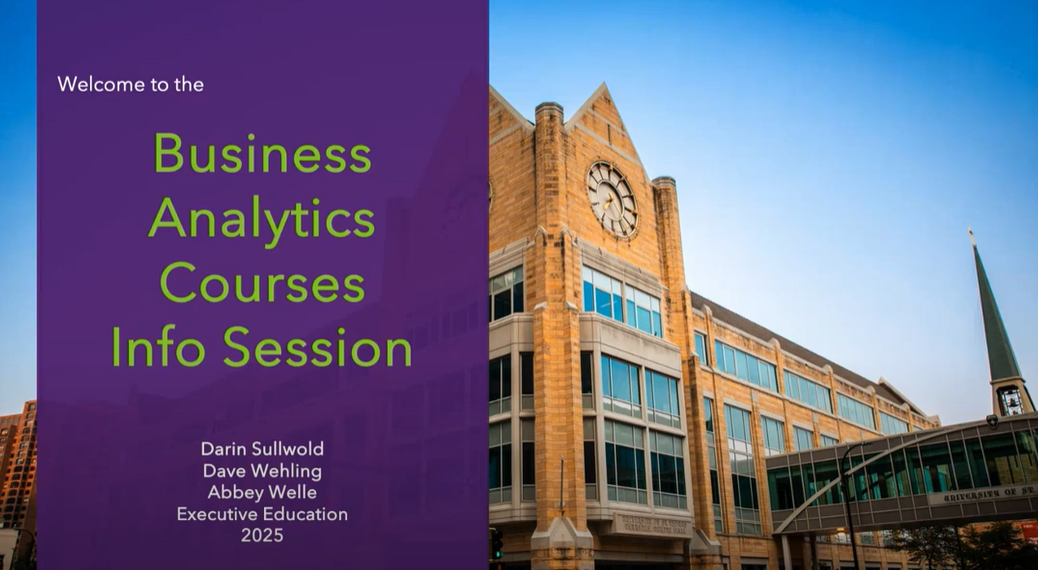
    Info Session

    Take the Next Step

    St. Thomas Executive Education programs give you cutting-edge, practical knowledge and real-world skills you can apply at work the very next day. Gain the tools and techniques to be a more effective, strategic leader.
    Request Information